Frequently Asked Questions
For clients
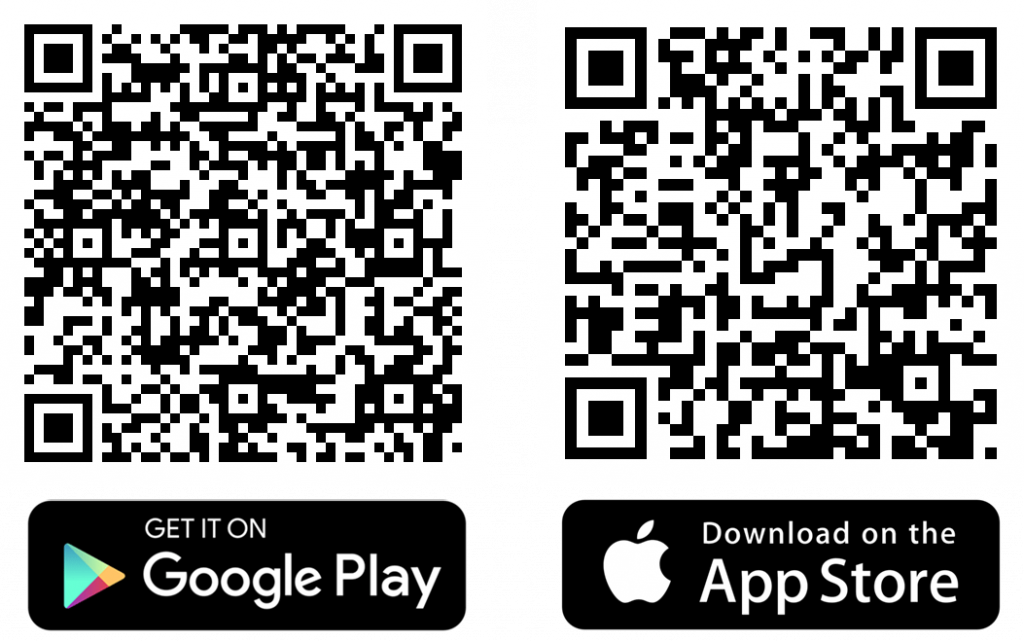
You can download “Hairapps” app from the App Store (for iOS) or Google Play Store (for Android) by searching for HAIRAPPS. You can also download it via the website by clicking “Home” > “Click here” (green button).
To sign up, open the app and click on the “Sign Up” button. Follow the on-screen instructions to enter your details, including your name, email address, and create a secure password.
Absolutely! Our app is tailored for all. Everyone is welcome to use the app for convenient appointment bookings.
After logging in as a client, choose your preferred barbershop from the homepage, select “Book now,” choose whom you are booking for, select the service, pick a date and time, and choose your preferred barber if applicable. Confirm your booking, and you are all set!
Yes, the app is available for booking 24/7 unless there is a scheduled upgrade or maintenance. You have the flexibility to book appointments at any time that suits you.
Go to the “Barbers” section in the app, find your preferred barber, and view their schedule. You can see their working hours and available time slots for booking.
In the “Bookings” section, you can find your upcoming appointments. Click on the appointment you want to modify, and you will have the option to cancel.
Yes, the app will send you notifications to remind you of upcoming appointments. Make sure you have enabled push notifications for the app on your device. We will send you an email to double remind you.
If you experience any technical issues, please check your internet connection and ensure you are using the latest version of the app. If problems persist, contact our customer support through the app (Contact us tab), via our website, and or by email.
We value your feedback! You can provide feedback through the app’s “Settings” or contact our customer support. Your input helps us improve our service.
Of course! You can publicly rate them and also privately rate them out of 5 with comments.
Absolutely! Everyone has a favourite barbershop. Click on your preferred barbershop > top right, you can click the favourite heart. You can find your favourite shops under Profile > Favourites
Yes, go to Profile > My Reviews.
Absolutely! We want everyone to be able to use this, so we have the Friends and Family tab. You can do this by going to Profile > Family & Friends, click the plus button, and add your friends and family. However, if they have access to a smartphone, it would be great for them to download the app and use it themselves.
Yes, go to Profile > My Account.
Profile > Connect on Social Media
Yes, you can filter this out on the explore page and adjust it to your distance.
For barbers specifically
Yes, on the homepage, click “Upcoming Appointments”.
Yes, you can see this on the homepage or the “Client” tab.
Yes, go to Profile > Business Management > Individual Days Away or Closed > Select your date.
Go to Profile > Business Details > Business Profile.
Go to Profile > Business Details > Social Media Links.
Go to Profile > Business Management > Staff Members
Absolutely not, you can add as many staff members as you want for free.
Go to Profile > Business Management > Payment Options.
Go to Profile > Services.
Please contact our customer support at info@hairapp.uk or via the “Contact Us” option in the app.
Go to Profile > Scroll down to Personal Information > Change Password.
Go to Profile > Scroll down to Personal Information > My Profile.
Go to Profile > Share Profile > Click Share > Copy.
Go to Profile > Share Profile.
Yes, click the Client Tab > Select Client. It will show past and upcoming appointments.
Barbers can manage their working hours through the app by going to Profile > Business Management. They can set regular hours, update availability, and even mark specific days off.
Yes, barbers with staff can use the app’s management features to view staff schedules and ensure smooth operation.
You can download “Hairapps” app from the App Store (for iOS) or Google Play Store (for Android) by searching for HAIRAPPS. You can also download it via the website by clicking “Home” > “Click here” (green button).
- If you experience any technical issues, please check your internet connection and ensure you are using the latest version of the app. If problems persist, contact our customer support through the app (Contact us tab), via our website, and or by email.
Need More Help?
If you can’t find the answers you’re looking for in our FAQ, please don’t hesitate to reach out. We’re here to help and make your experience with HairApps as smooth as possible. You can contact us through:
- The app “Hairapps”
- Contact us on this website
- Email: info@hairapp.uk
We want to hear from you, no matter how small your question might be. Our dedicated team is ready to respond and assist you as quickly as possible. Your feedback helps us improve, and we’re committed to making this platform better for everyone.

Transforming the way you book your next haircut
Quick Links
Get In Touch